
Godot helped me start publishing mobile games because it let me think in scenes, nodes and behaviours without feeling that I was entering an impossible tool.
But publishing on mobile teaches one thing quickly: exporting is not the same as finishing.
A game working on a computer does not mean it works well on a phone. Being able to export to Android or iOS does not mean touch control, readability, rhythm and the first play session are solved.
That is the part I have learned most clearly while creating games for Garaje Imagina.
Godot is a good entry point, but mobile requires focus
Godot has a very approachable structure when you are starting out. Scenes and nodes fit small games naturally:
- a player can be a scene
- an obstacle can be another scene
- a menu screen can be another one
- a reusable piece can live across several levels
That helps a lot while learning. It also helps when you want to test an idea quickly.
The problem appears when an idea grows without control. On mobile, every extra layer of complexity has a cost: more screens to explain, more text to read, more buttons to tap, more performance to protect and more chances that the player leaves.
My rule now would be simple: if the game cannot be understood in a few seconds, it still needs cleaning up.
Touch control is not a detail
A game that feels good with keyboard or mouse can feel bad on a touch screen.
The finger covers part of the screen. Precision is lower. The player may be on a bus, on a sofa or holding the phone with one hand. All of that changes the design.
Before publishing, it is worth checking:
- button size
- spacing between controls
- areas where the finger hides information
- small text
- gestures that are not clear
- buttons too close to the edge
- actions that demand too much precision
In educational or casual games this matters even more. If the player is a child, or if the session should be short and clean, the interface cannot ask for extra effort.
Short sessions change the design
On mobile, many people do not open a game to play for an hour. They open it for a quick round.
That does not mean the game has to be shallow. It means it has to respect the player's time.
A good small mobile game should answer these questions quickly:
- what do I have to do
- how do I play
- what counts as doing well
- when does the session end
- why would I want to try again
That idea appears in several Garaje Imagina games: daily puzzles, short challenges, clear mechanics and visual learning. A game does not need to be huge to have value.
The tutorial should be part of the game
One of the easiest mistakes is creating a tutorial as if it were a manual.
On mobile, that usually fails. The player does not want to read five screens before touching anything. They want to try. That is why the tutorial should be almost invisible:
- a simple first action
- immediate feedback
- a second rule
- a small goal
- a clear reward
If the game needs to explain too much before it starts, the first screen probably still needs design work.
Exporting to Android and iOS has a technical side
Godot can export to different platforms, but each platform has its own requirements. The official documentation keeps specific guides for exporting to Android, exporting to iOS and setting up one-click deploy for testing.
For Android, you need to configure the SDK environment and the paths Godot uses to build. For iOS, you work with Xcode and Apple's signing ecosystem. In practice, publishing on iPhone is not just pressing export: there are certificates, profiles, identifiers and device tests.
My recommendation for anyone starting out: do not leave export work for the last day.
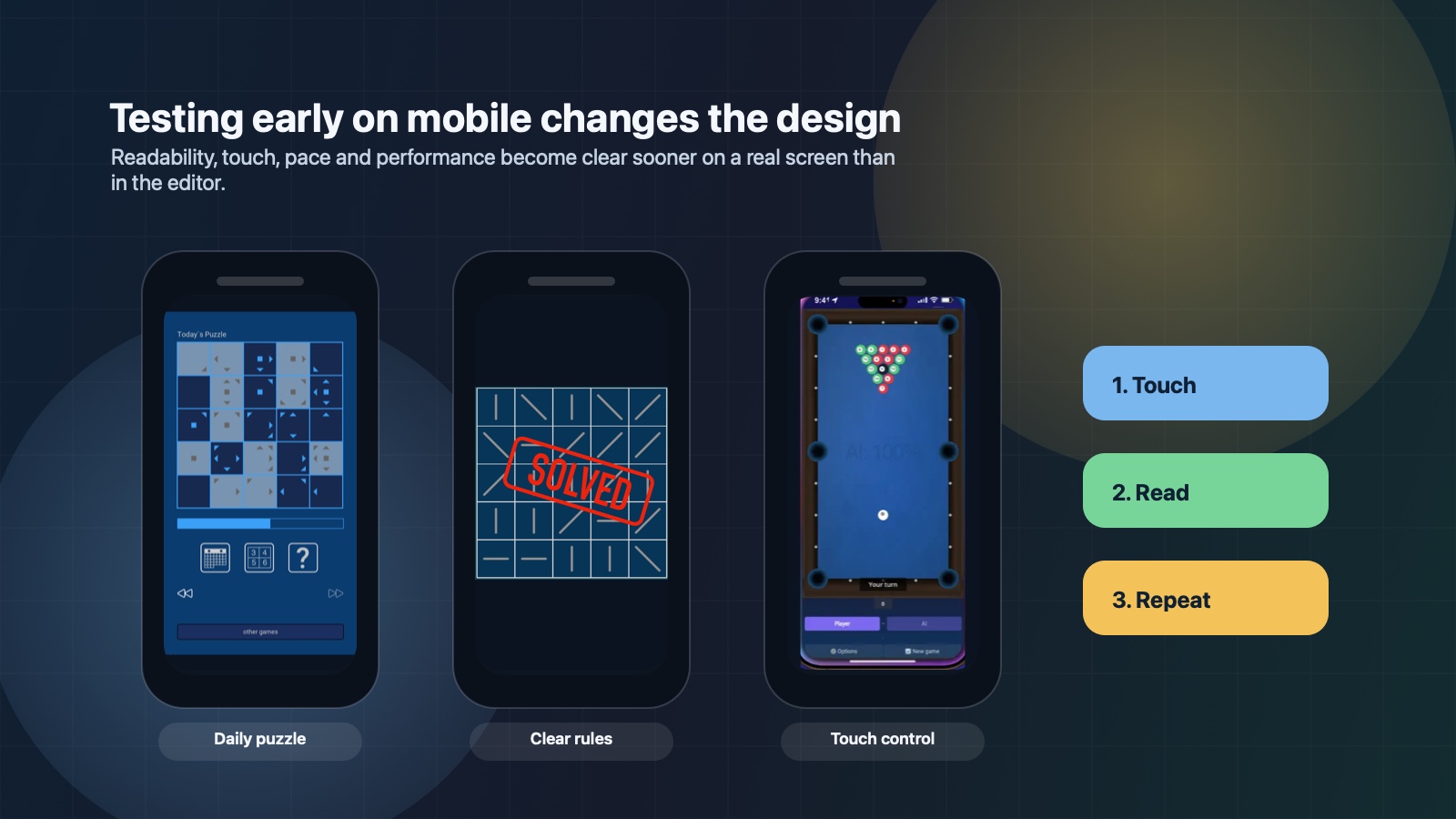
Run a real mobile test as soon as possible. Even if the game looks rough. Even if it only has one scene. The point is to discover touch, performance and configuration problems early.
What looks small in the editor may be too small on mobile
This sounds obvious until it happens to you.
Text that reads well on a monitor may be uncomfortable on a phone. A button that looks large in the editor may be small for a finger. A clean panel may take half the screen in landscape.
It is worth testing:
- on a real phone
- with normal brightness
- in portrait and landscape if the game supports both
- with someone who has not seen the game before
If that person does not understand what to tap or what is happening, it is not their fault. It is design information.
Performance starts in small decisions
You do not need to wait until you have a large game to think about performance.
On mobile, it helps to watch from the beginning:
- image sizes
- number of effects on screen
- unnecessary physics
- excessive particles
- scenes that load too much
- animations that do not add value
A small game can feel very good if it responds quickly. And it can feel bad if it has delays, heavy screens or distracting elements.
The store listing is part of the game
Publishing does not end when you upload the build.
The App Store or Google Play listing is the first play session for many people. Before installing, the player sees the icon, title, screenshots, video, description and reviews.
If those pieces do not explain the value of the game, many people will never try it. This was one of the most important lessons for Garaje Imagina: having games published is not enough. You also have to explain why each game is worth downloading.
An educational game should show how it helps. A daily puzzle should show why it is worth returning. A casual game should show its appeal in a few seconds.
What I would do earlier if I started again
If I started another mobile game with Godot today, I would do this earlier:
- Test touch control from the first prototype.
- Define the promise in one sentence.
- Prepare a first session under one minute.
- Review text and buttons on a real phone.
- Export to Android or iOS long before finishing.
- Think about store screenshots during development, not at the end.
- Remove mechanics before adding more.
The hard part is not always programming. Very often it is deciding what does not belong.
Godot works well for small games with clear criteria
Godot does not turn an idea into a good game automatically. No tool does.
But if you want to create small, clear and personal mobile games, it is a very good base. It lets you move quickly, organise scenes, test mechanics and publish on several platforms.
The key is not to confuse possibility with focus.
You can do many things. The important question is which one makes the game better.
You can see some examples in the Garaje Imagina games catalogue, where there are educational games, puzzles and mobile experiences built around short sessions and clear mechanics. If you are interested in the web side, you can also read the article about HTML5 games.


